
Buying Guide: MonsGeek M1 V5 Takes Both Mechanical and Magnetic Switches
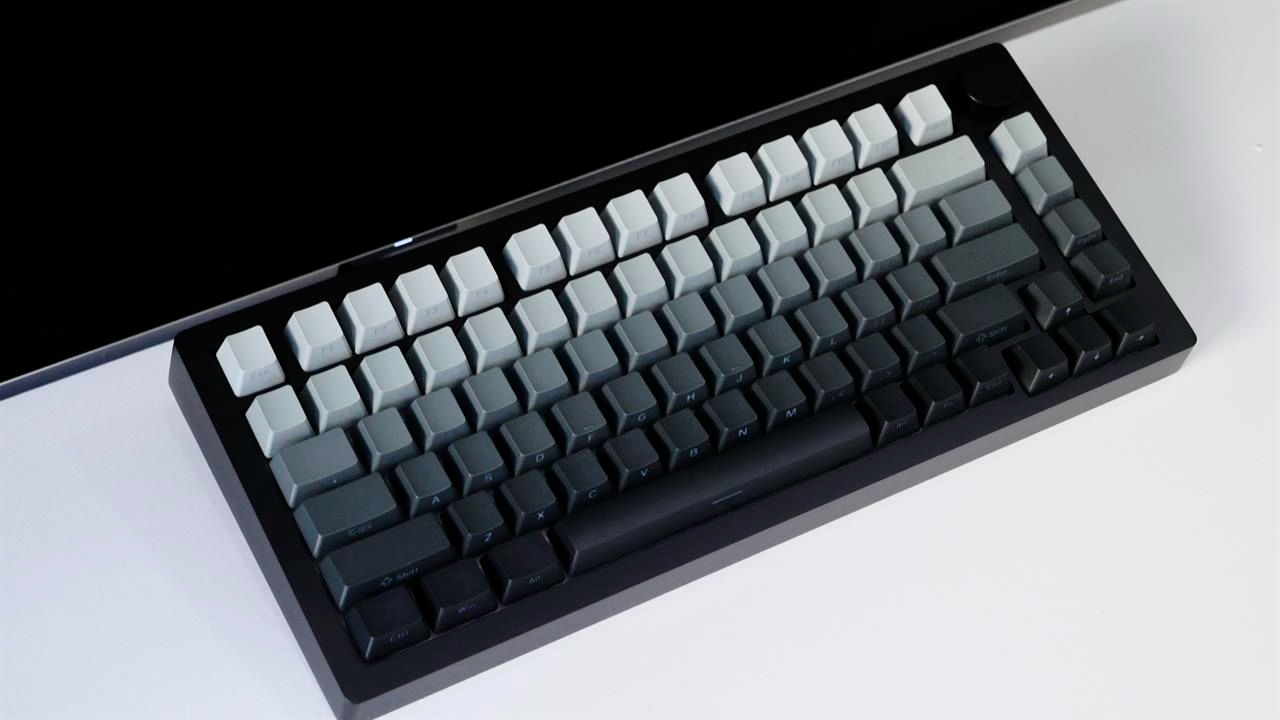
The MonsGeek M1 V5 ($149.99) does something few other keyboard can — it offers users the option to use either mechanical or magnetic switches.
In the world of mechanical keyboards, often gamers have to choose between one that works with either standard mechanical switches or higher-end magnetic ones. Most default towards standard mechanical keyboards as they can usually be found at more affordable prices.
Magnetic keyboards tend to be more expensive, as it’s a newer technology that allows users to customize how far a key can be pressed for an input to activate. Essentially, the keys don’t require bottoming-out before activation. This feature is handy for certain competitive games where rapid movements can make the difference in heated firefights. MonsGeek bridges the gap with the M1 V5 by making a keyboard that’s compatible with both types of switches.
At $149.99, the MonsGeek M1 V5 doesn’t cut corners. It’s a 75% keyboard that features a full durable aluminum CNC case. Keys come equipped with the Akko AstroAim Magnetic Switch, a quieter switch with a lighter feel and an LED diffuser for better RGB effects. The motherboard allows for both 3-pin and 5-pin switches, what MonsGeek calls Hybrid MagMech TMR Technology, making it customizable with a wide array of products for maximum compatibility. And at an 8K polling rate and a 32K Scan Rate, it gives competitive gamers ultra-fast response times with precise key detection.

photo: Imad Khan
For competitive players, there are some customization options to give that slight extra edge in-game. Adjustable Rapid Trigger allows for accurate precision during fast-paced movements, handy when lining up a shot in online shooters. And Mod-Tap Function allows gamers to fine-tune actuation points and create dynamic keystrokes. This means that a quick tap of the key will have one function whereas holding the key down will allow for a secondary function.
Often, this feature is most handy for 60% and smaller keyboards where arrow keys aren’t present. So, holding down the shift key can turn other keys into arrow keys. In-game, Mod-Tap could hypothetically be used for a crouch/prone toggle, meaning a quick tap can crouch your character whereas a hold can put your character into a prone position.
The M1 V5 is gasket mounted to absorb chassis vibrations and give a pleasant “thocky” sound. Switches and stabilizers come pre-lubed for smooth presses, each time. And M1 V5 is TMR (Tri-Mode Ready) out of the box, meaning it supports USB wired, Bluetooth, and 2.4 GHz connectivity. The battery should also last a decent bit as the M1 V5 comes equipped with an 8,000 mAh unit. Mac users needn’t worry either, as the M1 V5 also supports MacOS machines.
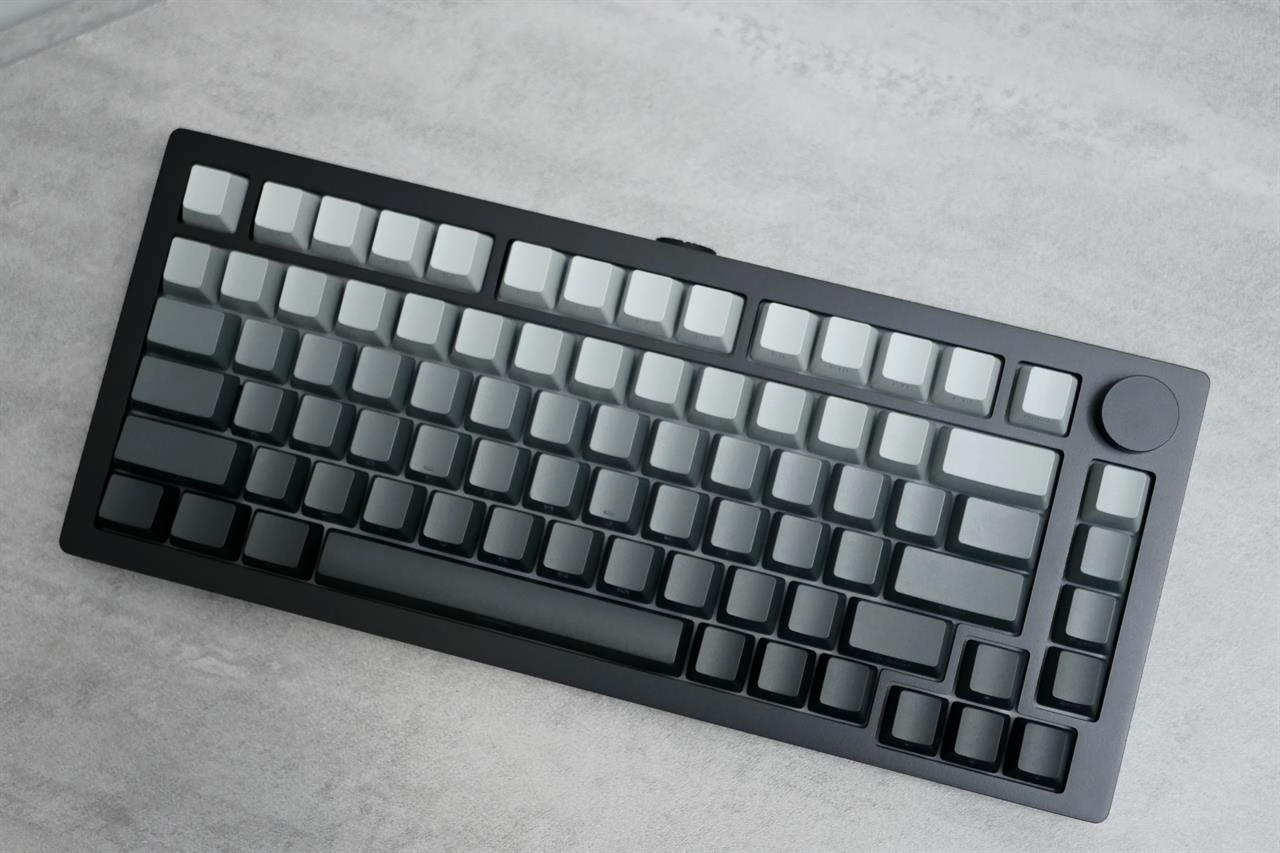
photo: Imad Khan
A major selling point of the M1 V5 is its wide customization options, all without needing fancy tools to take it apart. Thanks to its hot-swappable PCB, replacing switches can be done with minimal effort, sans soldering. At Micro Center, the Akko x MonsGeek Green Fog switches are available, which are heavier linear switches that feel more substantial to the touch. On the magnetic side of things, the Akko Astrolink Magnetic Switch is also available which has a higher actuation force and a deeper sound.
Beyond the M1 V5
There are other MonsGeek and Akko (sister brand) products available at Micro Center as well. This includes the MonsGeek FUN60 Ultra magnetic keyboard at $59.99, which is a smaller 60% keyboard for those that like compact setups. There’s also the Akko x MonsGeek Colorful Cats keyboard, a 100% size unit with adorable pastel cat-themed keycaps.
Luckily, Micro Center has a wide selection of switches from a wide range of brands that can also work with the MonsGeek M1 V5. For example, there are a handful of tactile switches available, which give each key press a satisfying click, as if typing on a typewriter. And as always, you can check out your local Micro Center location to get hands-on and test switches out for yourself and find what works best.
About the Author
Imad Khan is a journalist based in New York. He covers AI, Big Tech, internet culture, and gaming. His bylines include CNET, The New York Times, The Washington Post, ESPN, Tom’s Guide, and Wired, among others. When he’s not chasing stories, he’s either playing his guitar, working on custom Game Boys, or falling down some nerdy YouTube rabbit hole.
This article was originally published on MICRO CENTER. You can find the original piece here [Buying Guide: MonsGeek M1 V5 Takes Both Mechanical and Magnetic Switches].