
Are Keycaps Universal? The Definitive Keycap Compatibility Guide for Your Custom Keyboard
📅Dec. 18. 2025
If you’re looking to customize your keyboard with a new set of keycaps, you’ll quickly encounter confusing technical terms. Beyond dimensions like “1.75u Shift” and “6.25u spacebar,” you might also be puzzled by terms like “Cherry Profile”, “PBT Plastic”, or complex regional layouts.
The fundamental question is: Are Keycaps Universal?
The most important answer in keycap compatibility is No. While most keycaps share a common MX-style mount, differences in keyboard size (e.g., 60% vs. 100%) and regional layout standards (e.g., US vs. UK) mean that not every set will fit every board.
This comprehensive guide breaks down the key factors affecting compatibility, helping you understand exactly what to check when choosing your next set of custom keycaps.
The Universal Standard: The MX-Style Stem
Before checking sizes, you must confirm the physical mount, which determines switch compatibility.
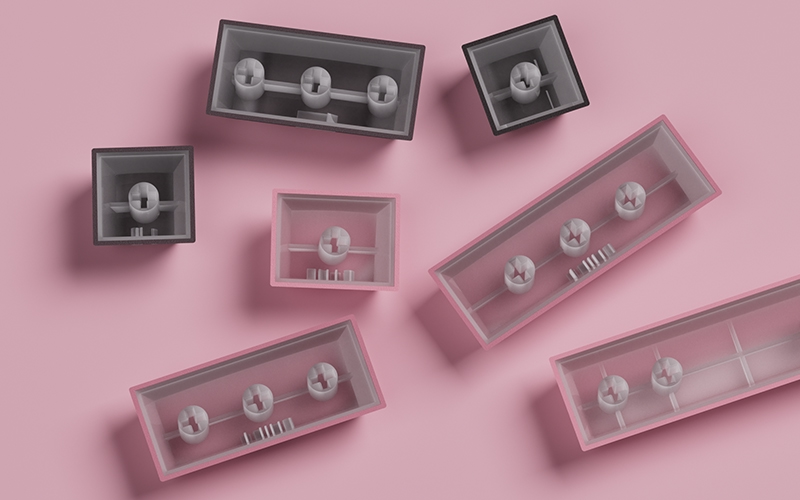
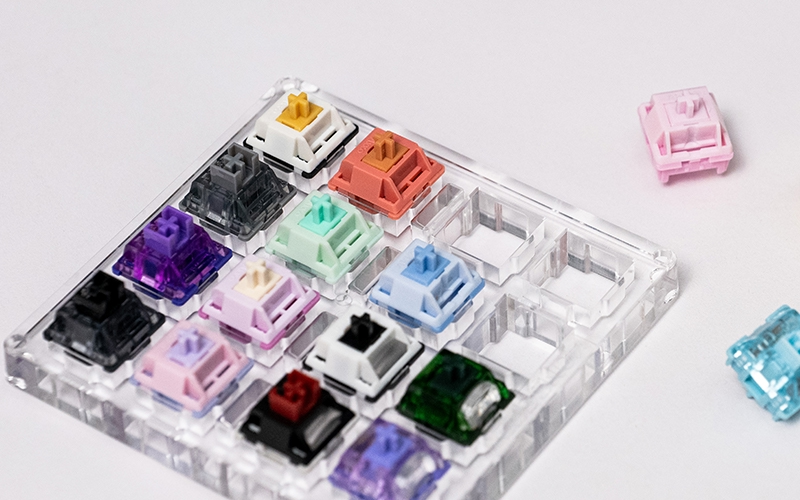
Most mechanical keyboards use a cross-shaped MX-style stem, seen on Cherry MX Style, and many other switches. Keycaps labeled “MX-compatible” usually fit these stems.
How to check: Remove a keycap and look at the switch. A plus sign (+) indicates an MX-style stem.
Important nuance: Some switches, like low-profile MX-style switches, also use a cross-shaped stem but require low-profile keycaps. Standard keycaps may fit physically but will be too tall or feel off.
Exceptions: Proprietary switches, Alps-style, or certain optical switches may use non-MX stems and need dedicated keycaps.
Takeaway: MX-compatible keycaps cover most switches, but for low-profile or proprietary stems, you must ensure the keycap height and profile match your switch.
The Global Barrier: Regional Layouts and Keycap Sizes
Even if your switches use a standard MX-style stem, keycap compatibility depends on the physical size and shape of each key. These sizes are measured in “u” units, where 1u is the width of a standard letter key.
Understanding Key Sizing (The “u” Unit)
- 1u: The width of a standard letter key.
- 1.25u: Common modifier keys (Ctrl, Alt) on ANSI layouts.
- Shift Key Variations: Shift keys demonstrate the biggest variability globally:
- 2.25u: Standard Left Shift (used in most US/ANSI TKL and Full-Size boards).
- 1.75u: Common Right Shift on compact layouts (65% or 75%).
- 1u/1.25u Shift: Found in ISO (UK/European) or Japanese (JIS) layouts, often paired with a split Enter key.
- 6.25u / 7u: The two most common spacebar lengths.
ANSI vs. ISO vs. JIS (Regional Layouts)
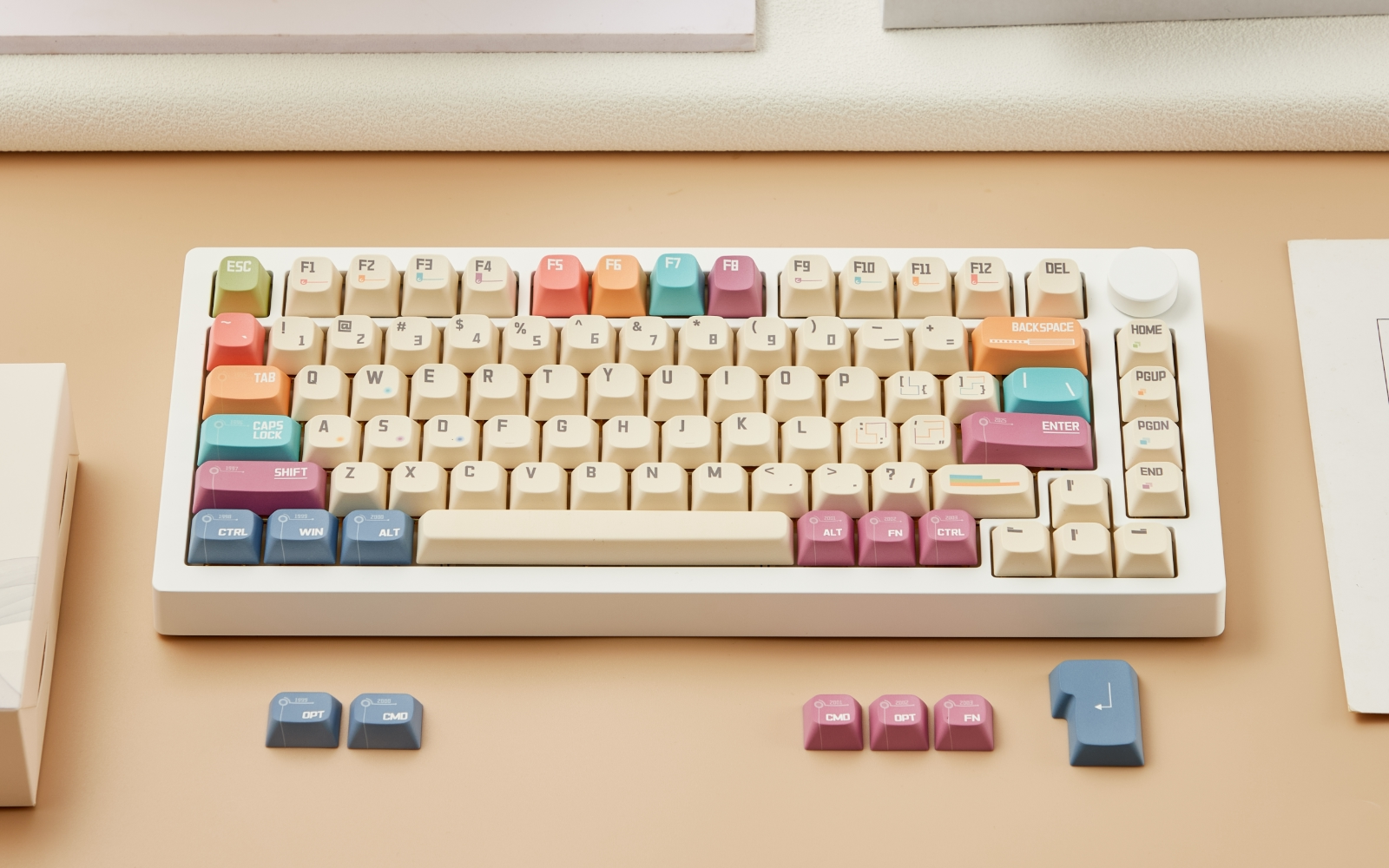
- ANSI (US Layout): Uses a horizontal, single-row Enter key and a long left Shift key (2.25u). Most keycap sets are based on ANSI.
- ISO (UK/European Layout): Features a distinctive, vertical “L” shaped Enter key and often requires smaller Shift keys (1u or 1.25u) and specific modifier keys (like an Alt Gr key).
- JIS (Japanese Layout): Highly non-standard, requiring a very short spacebar and multiple small keys (1u/1.25u) around the spacebar and Enter key.
If your keyboard uses an ISO or JIS layout, you must purchase a keycap set that specifically includes the necessary regional keys, as a standard ANSI keycap set will not fit.
The Compatibility Trap: Bottom Row and Non-Standard Layouts
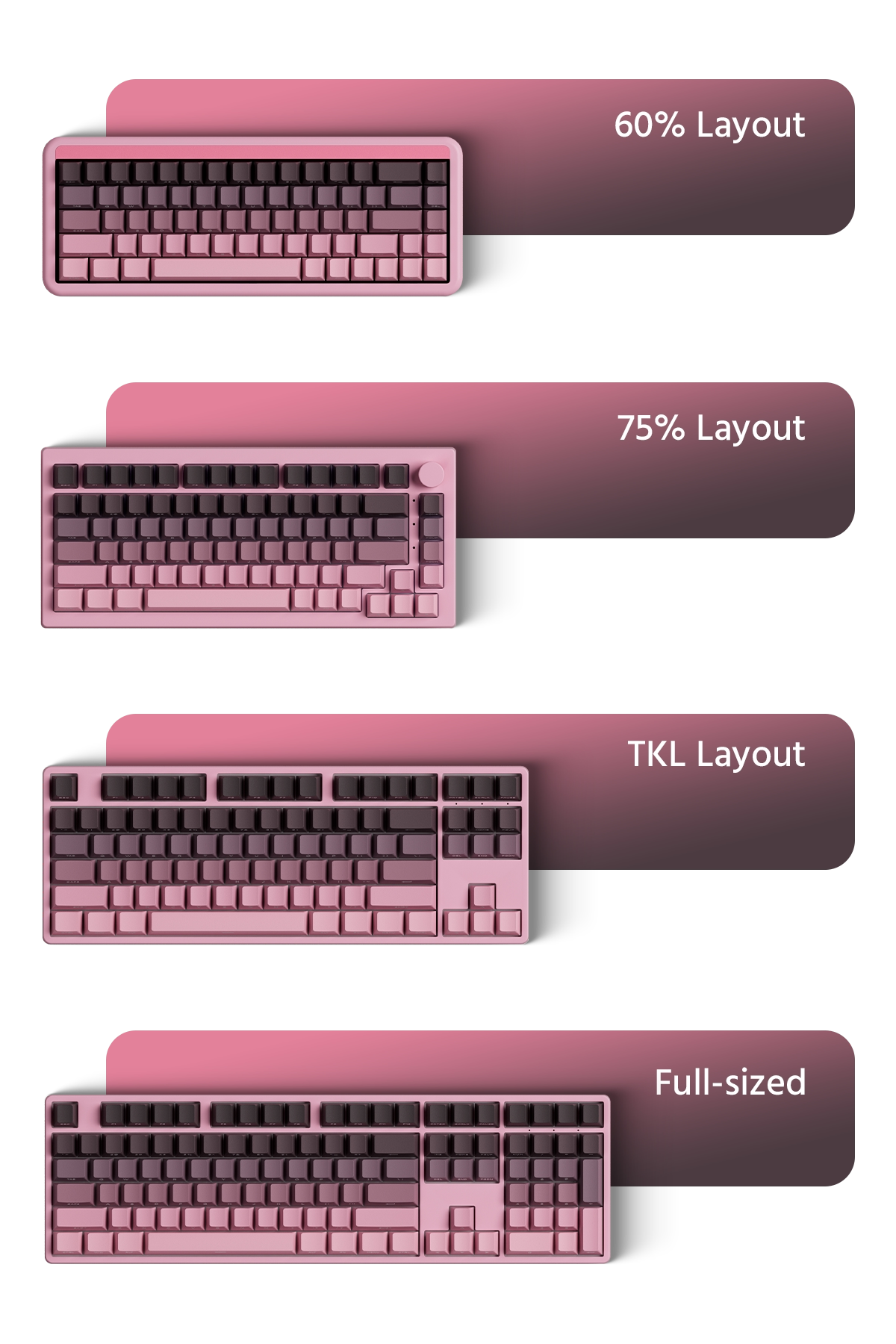
Keycap compatibility issues primarily center around two critical areas: the Bottom Row and the Non-Standard Cluster found on compact boards. Understanding these differences is key to achieving a full fit.
- Standard Bottom Row: On typical Full-size and Tenkeyless (TKL) boards, the bottom row is standard: modifiers (Ctrl, Alt, Win/Fn) are all $1.25u$, and the Spacebar is the common 6.25u size.
- Non-Standard Bottom Row: Custom and unique layouts may require a non-standard spacebar (6u or 7u), necessitating extra keycap support, such as an alternative 7u spacebar.
- Compact Layout Challenges: Compact and non-standard layouts (such as 65%, 75%, and 1800 Compact) demand unique, non-standard key sizes that are often omitted from smaller, budget-friendly keycap kits.
- Common Non-Standard Keys: The most common non-standard keys required are the 1.75u Right Shift key (often used on 65% and 75% layouts), Unique Numpad Keys (required for 1800 Compact layouts), and additional 1u or 1.5u sized modifiers.
The Solution: Ensuring Full Coverage
If you own any non-standard board (including compacts, split boards, or custom bottom rows), you must ensure the keycap set includes a “Compatibility Kit”. This kit is crucial as it provides the non-standard 1u, 1.5u, 1.75u keys, and alternative 7u spacebar sizes needed for maximum coverage of unique layouts.
| Board Size | Common Bottom Row Configuration (Spacebar Size) | The Problem | MonsGeek Model Examples |
|---|---|---|---|
| Full Size/TKL (104/87 keys) | 1.25u mods and a 6.25u Spacebar | Usually standard, but watch out for 7u Spacebar boards (e.g., HHKB, some custom layouts). | M3, M5 |
| 1800 Compact | 1.25u mods and a 6.25u Spacebar | Requires non-standard sizes in the Numpad cluster (e.g., 2u Numpad '0' and '+'). | M2 |
| 60% (GH60, Poker, Tofu) | Standard 1.25u mods, 6.25u Spacebar | Usually safe, but some kits drop keys like the dedicated function row. | FUN60 |
| 65%/75% | 1.75u Right Shift (a common non-standard size) | Often includes non-standard 1u or 1.5u keys in the bottom right corner (e.g., Fn, Delete). | M1, M7 |
| Ortholinear/40% | All 1u keys, or an extremely short 2u/3u Spacebar | Requires specialized keycap sets (usually marked as "Ortho/40s kit") that contain many extra 1u keys. | Akko ACR TOP 40 |
Profile & Aesthetic Choice: Beyond Compatibility
The keycap profile—its shape and height—does not affect switch compatibility, but it dramatically influences the typing experience, acoustics, and the overall look of your board.
Below is a quick overview of some keycap profiles:
| Profile | Relative Height | Row Shape | Key Characteristic | Common Use |
|---|---|---|---|---|
| ACA Profile | Medium-High(Slightly higher than Cherry Profile) | Fully Sculpted(Varies by row) | Cylindrical Concave | General Typing, Daily Use, and Gaming |
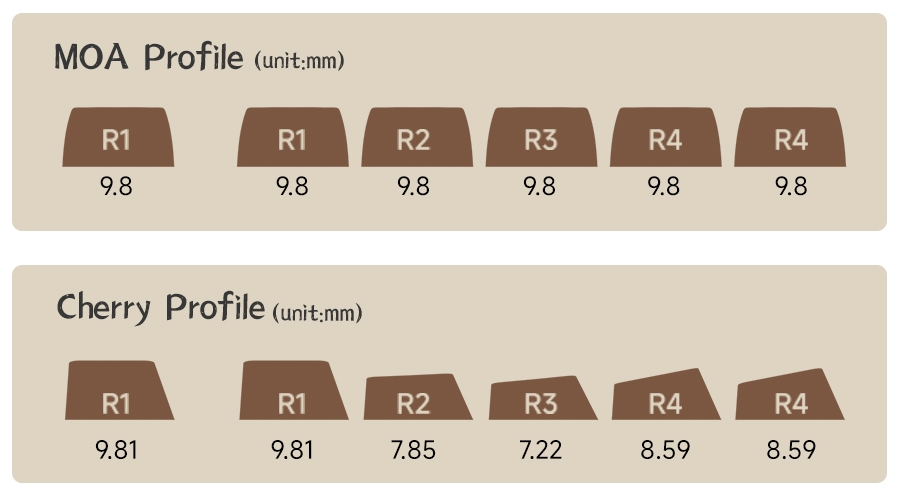
| Cherry Profile | Low Height (~9.8 mm average) | Sculpted (Varies by row) | Excellent ergonomics and clearance. | Custom, Enthusiast Keyboards |
| OEM Profile | Taller Height (~11.9 mm average) | Sculpted (Varies by row) | Highly familiar feel. | Standard Pre-built Keyboards |
| MOA Profile | Low Height | Uniform (Same height across all rows) | Round, low-slunge tops for smooth aesthetics. | Aesthetic Builds, Unique Typing Feel |
| MOG Profile | Medium-Low Height | Uniform (Same height across all rows) | Broad, slightly flat top surface. | Unique Aesthetic, Consistent Feel |
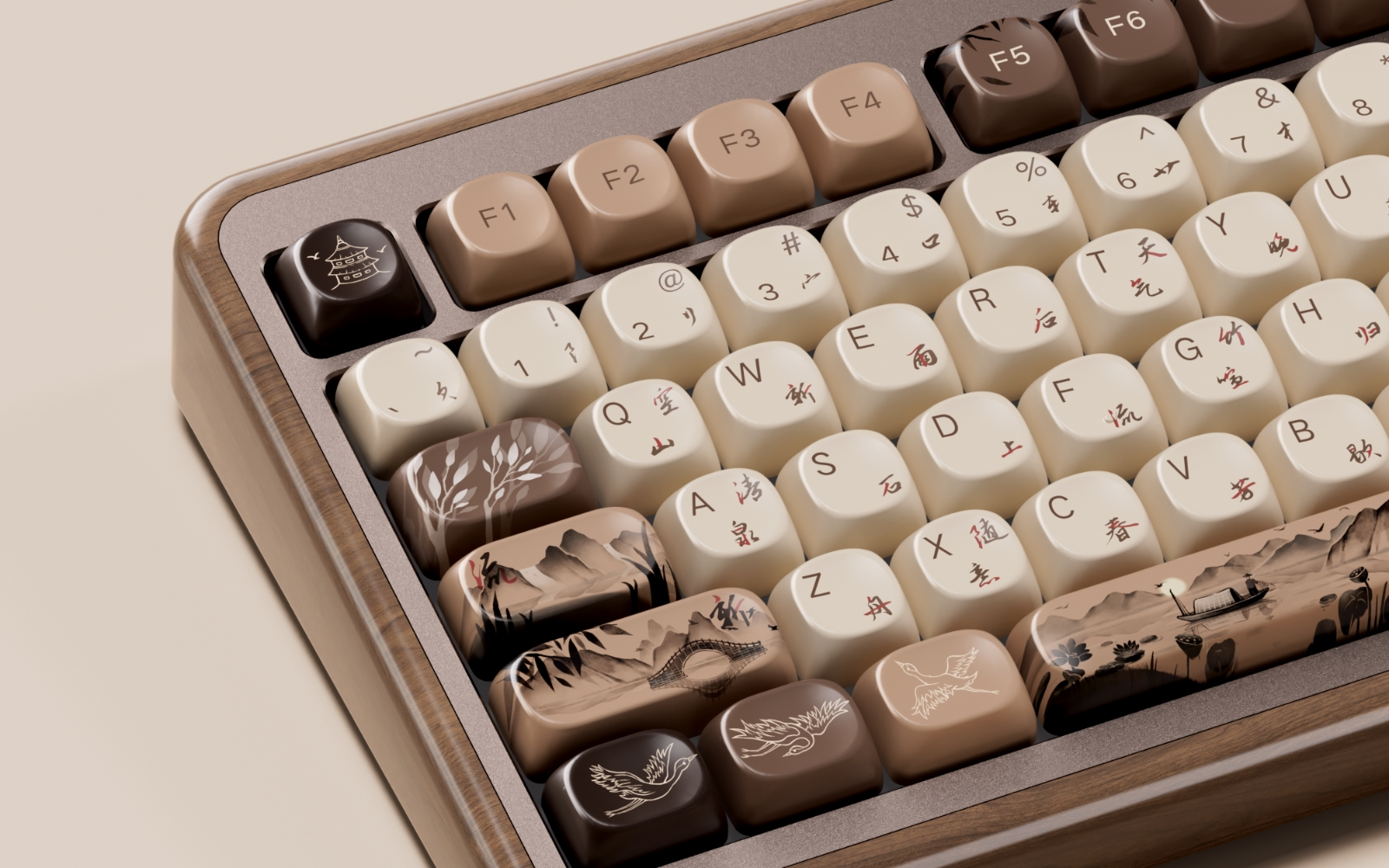
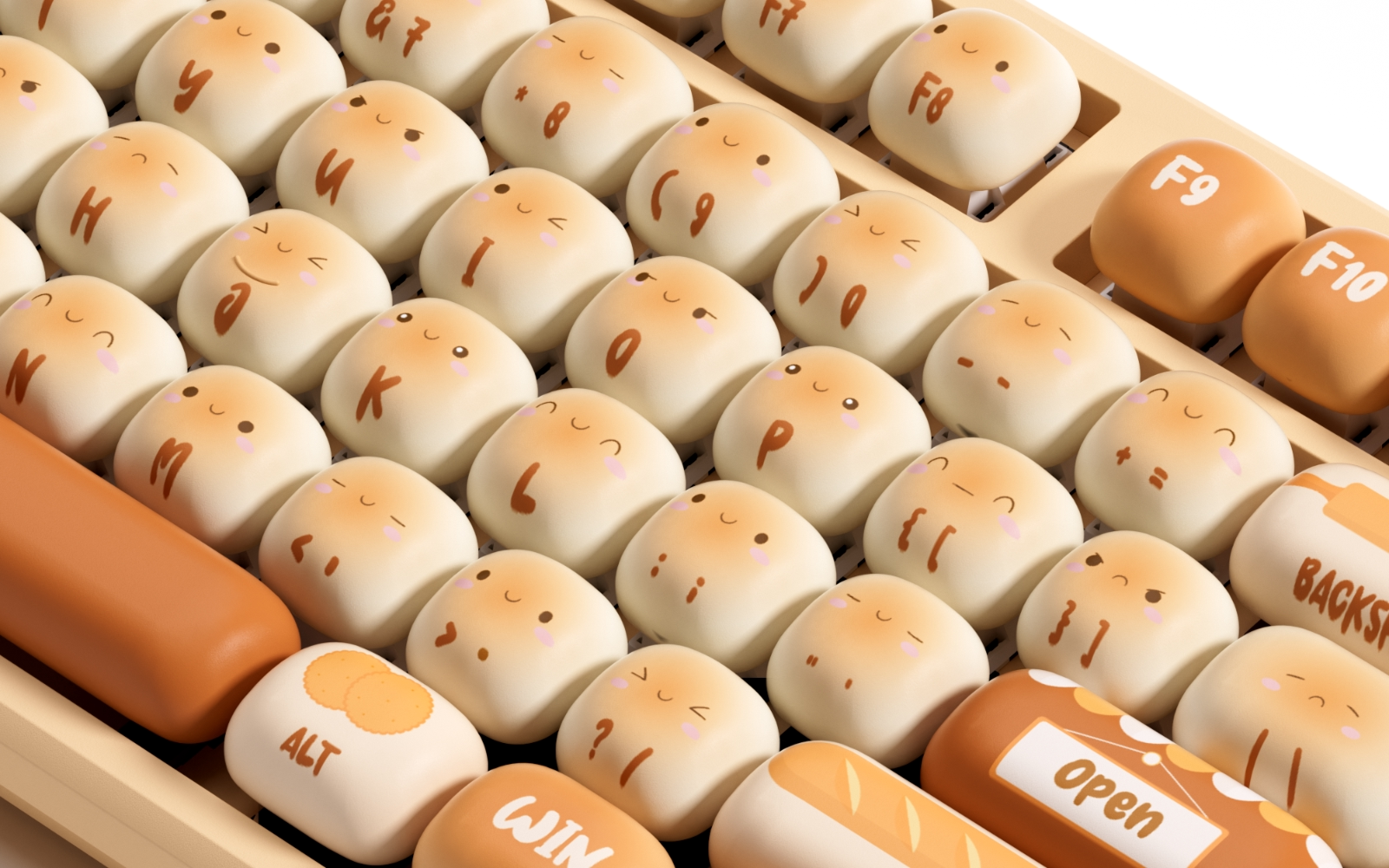
Why Some Users Choose Lower-Height Keycaps
In identical keyboard builds including mechanical switch and magnetic switch keyboards, lower-height keycaps are often chosen for their predictable sound, reduced interference risk, and comfortable typing experience.
-
Superior Clearance (Crucial for Premium Builds)
Lower-height keycaps generally have shorter skirts and reduced overall height, which helps minimize the risk of interference with the top case, plate edges, or switch housing.
In tighter or metal-case builds, this predictability can result in more consistent key travel and sound, even under heavier typing.
-
More Controlled and Consistent Acoustics
With less internal space and shorter sound paths, lower-height keycaps tend to produce a more focused and controlled sound profile.
Compared to taller keycaps, they often reduce unwanted resonance, leading to a cleaner and more consistent typing sound across the board.
Listen to a Typing Sound Test: MOG Profile
-
Familiar and Easy-to-Adapt Typing Feel
Many lower-height profiles, such as Cherry profile and MOA profile as welll as similar designs, are close to what most users are already accustomed to.
This familiarity makes them easy to adapt to, especially for long typing sessions, without requiring significant adjustment to finger movement or posture.
Final Verdict: Choosing Your Keycaps
To guarantee keycap compatibility for your keyboard:
- Stem Check: Shop our official collection of full-coverage, MX-compatible keycap sets and find the perfect fit for your MonsGeek keyboard—whether you’re using a traditional mechanical model or a high-performance TMR keyboard. Explore MonsGeek keycaps in a wide range of profiles, designed for both mechanical-switch and magnetic-switch setups, so you can achieve a distinctive look and a noticeably different typing feel.
- Layout Check: Identify your keyboard’s layout – ANSI, ISO, or other regional variants. Compact boards often shift key sizes or positions, so knowing your exact layout helps avoid mismatches.
- Size Check: Opt for a full-coverage keycap kit that includes all non-standard key sizes for compact and international layouts, ensuring full compatibility without the need for extra add-on packs.
🛒 Ready to Elevate Your Build?
Shop our official collection of full-coverage, MX-compatible keycap sets now. Explore keycaps offered in a variety of profiles—perfect for both mechanical-switch and high-performance magnetic-switch keyboards—to achieve a distinctive look, a noticeably different typing feel!