Frequently Asked Questions
Find answers to common questions about our keyboards, setup guides, and troubleshooting solutions
Found 0
results for ""
No results found
Try different keywords or browse categories
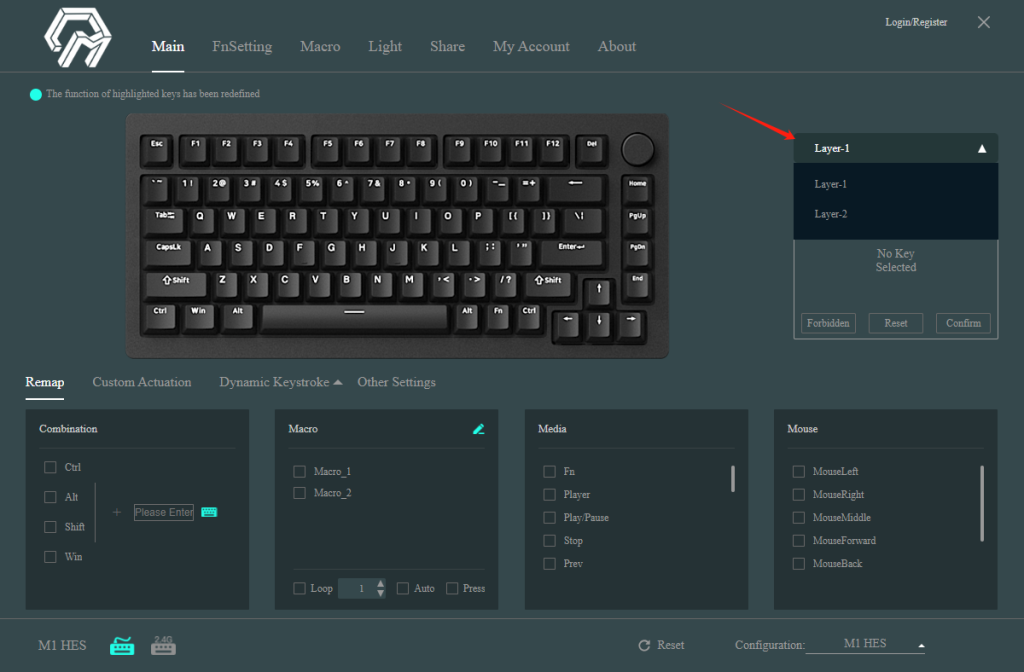
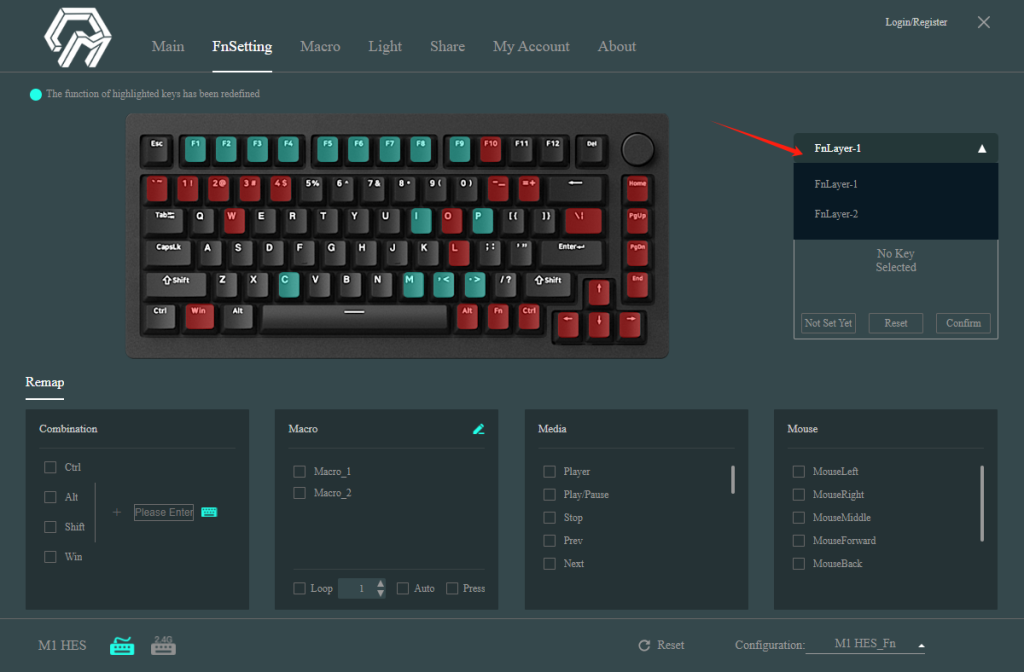
75% MonsGeek HE keyboards come with 2 normal layers and 2 Fn layers. You can adjust these layers using either the MonsGeek Driver or through hotkeys.
1. Use Fn+F9/F10 to switch to normal layer 1/2 respectively. Hold Fn and press right Alt to switch below Fn layer 1 and Fn layer 2.
2. Alternatively, you can directly modify the normal layers in the Driver Main-Remap Page, and adjust the Fn layers in the Fnsetting Page.