

Frequently Asked Questions
Find answers to common questions about our keyboards, setup guides, and troubleshooting solutions
No results found
Try different keywords or browse categories
Please note that you need to calibrate the keyboard after you replace the mechanical switches. Please follow the steps below:
1. Open the latest MonsGeek Cloud Driver, available for download on the official MonsGeek Download page.
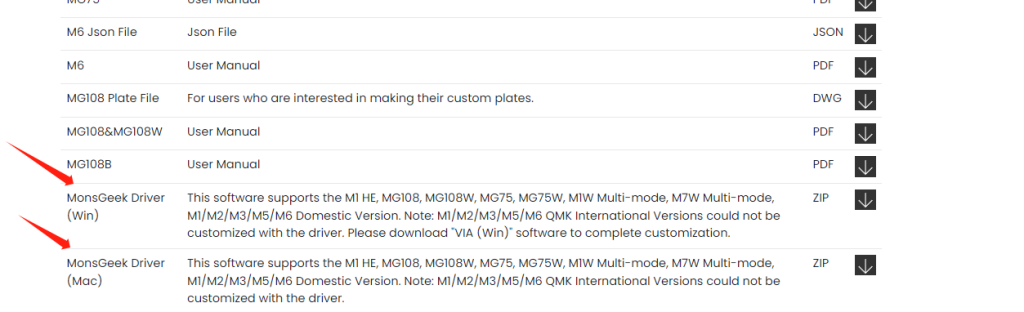
2. You can find the calibration button on the Main page below in the Driver.
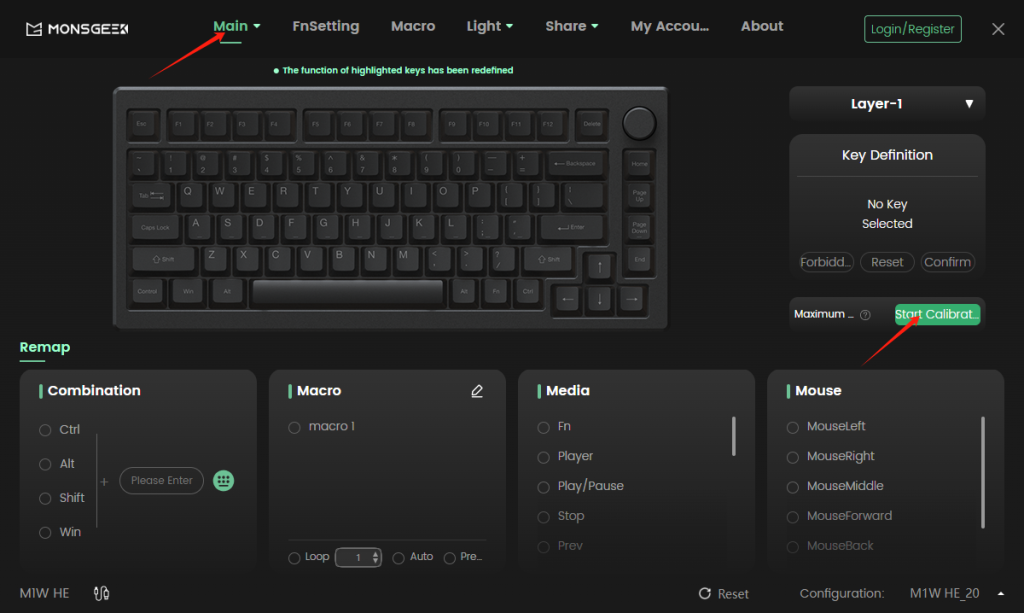
3. Press Start Calibration to start.
4. Begin the calibration process by pressing each key to its lowest point. It’s crucial to ensure that every key is pressed and released during this step. Press the “Confirm” button after completing this calibration.
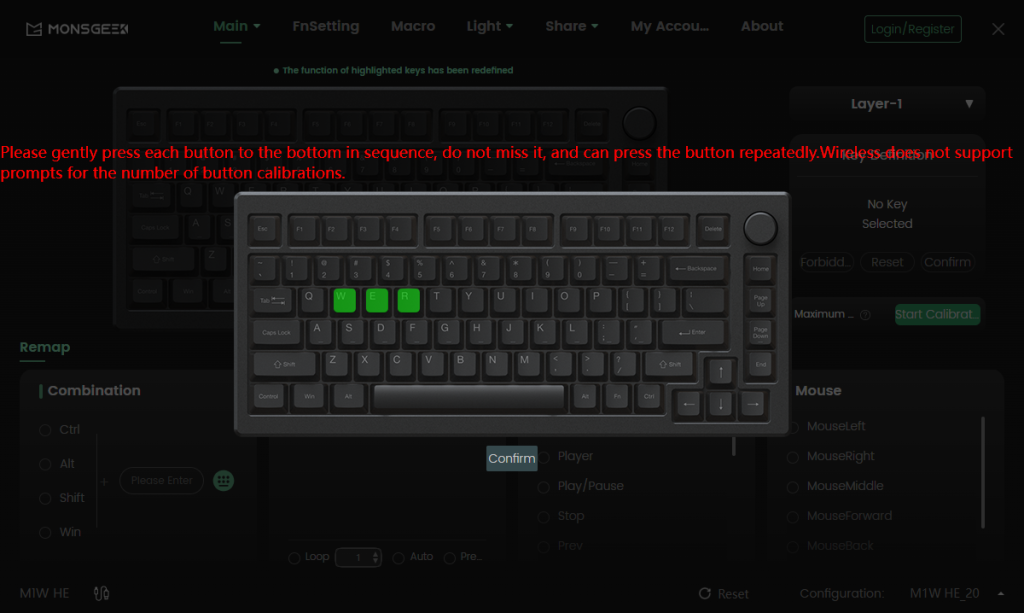
5. If any keys still do not function correctly, it indicates that they may not have been pressed completely during calibration. In such cases, repeat the calibration process to ensure that all keys are functioning as expected.