
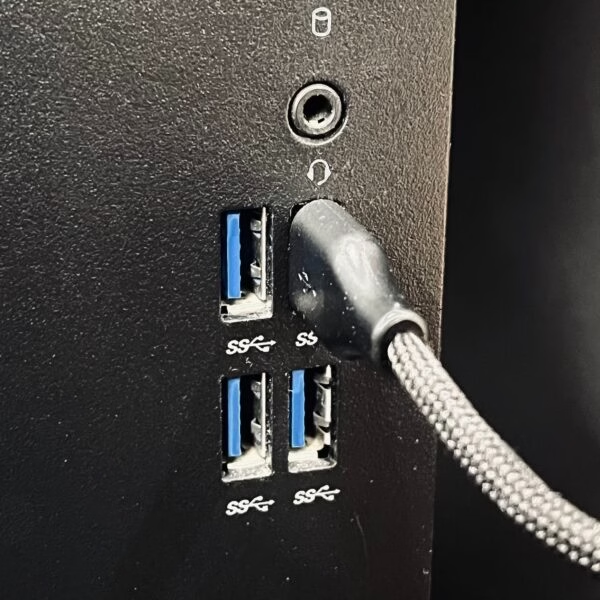
- Plug the extender cable directly into the PC, not through a USB hub
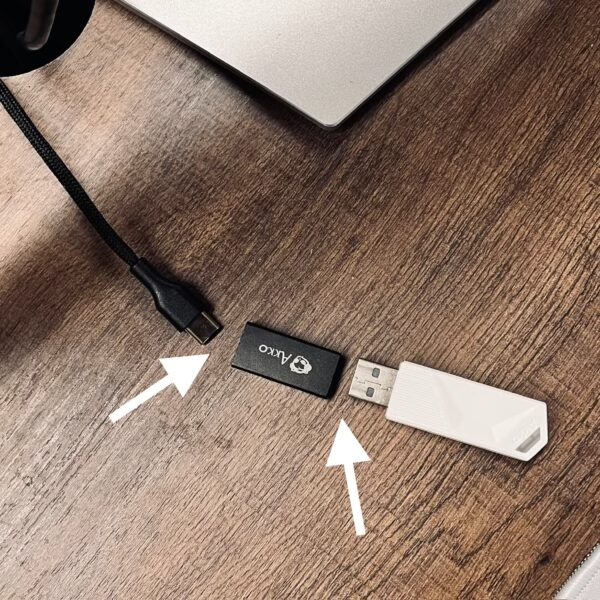
- Then connect the extender to the other end of the cable on the desk
Why Do Many 8K Wireless Mice Need an Extender?
📅Mar. 1. 2026
If you have used a high-polling-rate wireless mouse (4K or 8K), you likely noticed an included accessory: a USB extender or dongle dock. While it appears to be a simple cable designed to move the receiver closer to the mouse, its primary function is to address wireless interference issues.
To understand why these extenders are necessary—and why certain mice can operate without them—it is important to examine the interaction between 2.4GHz wireless signals and USB 3.0 ports.
The Technical Interaction: 2.4GHz vs. USB 3.0 Interference
Most wireless gaming mice operate on the 2.4GHz frequency band. However, USB 3.0 and USB 3.2 ports are known to generate electromagnetic noise within this same frequency range. This phenomenon is a documented hardware behavior identified by the USB-IF organization:
- High-speed USB 3.0 data lanes emit broadband noise around 2.4GHz
- Rear motherboard USB ports are surrounded by:
- USB controllers
- GPU power circuits
- Wi-Fi and Bluetooth modules
- When a wireless receiver is plugged directly into these ports, it sits inside a noisy RF environmen
The result:
Increased packet loss, unstable polling, and latency jitter.
At 1000Hz, this may be barely noticeable.
At 4000Hz or 8000Hz, the problem becomes obvious.
Why High Polling Rates Impact Signal Stability
An 8000Hz polling rate requires significantly higher data throughput compared to standard settings:
-
Data Frequency: The mouse sends one report every 0.125 milliseconds.
-
Packet Volume: This generates 8× more data packets than a standard 1000Hz mouse.
This increased density reduces the available margin for the wireless link:
-
Recovery Time: There is less time for the signal to recover from any environmental interference.
-
Retransmission Rate: High packet density can lead to an increase in required packet retransmissions.
-
System Stability: Standard RF (Radio Frequency) designs may become less stable under these high-bandwidth requirements.
Consequently, many 8K wireless mice utilize a USB extender as a preventive measure against signal degradation rather than as a performance booster.
How to Install a Mouse Extender (Properly)
Correct installation of the extender is necessary to maintain signal stability. Here’s the proper way to install one for maximum stability. We take the example of Pulse 01 :
Step 1: Use a Direct USB Port
Step 2: Place the Receiver Close to the Mouse
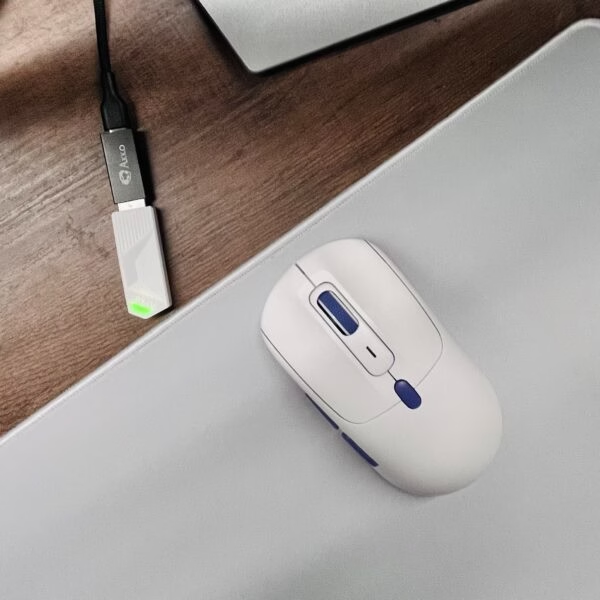
- Ideal distance: 20–40 cm from the mouse
- Keep it on the desk, not under or behind the PC
Step 3: Avoid Interference Sources
Keep the receiver away from:
- Wi-Fi routers
- External hard drives
- USB 3.0 cables
- Monitors with poor shielding
Step 4: Maintain Line of Sight
- Avoid placing the receiver behind metal objects
- Even small obstructions can impact high-frequency wireless signals
The extender works by physically removing the receiver from the USB 3.0 noise zone, not by amplifying the signal.
Do all 8K polling rate mice need an extender?
With a properly designed wireless system, an extender becomes optional.
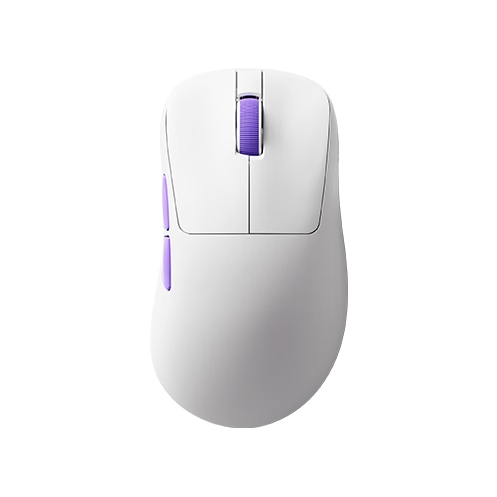
Wireless mice built on Nordic’s nRF52840 platform, for example, can maintain stable 8K polling rates even when the receiver is plugged directly into a USB port. For example, Akko’s nest gaming mouse demonstrated consistent 8K polling performance without the use of an extender under typical desktop environments without excessive wireless interference, as shown in this independent review.
Here’s why.
1. Stronger RF Performance
- Higher-quality 2.4GHz radio front-end
- Better clock accuracy and modulation stability
- Higher tolerance to USB-induced noise
2. MCU Power That Can Truly Sustain 8K
Running at 8000Hz isn’t just about transmission speed.
The MCU must handle:
- Sensor data intake
- Filtering and denoising
- Motion processing
- Packet assembly
- Wireless transmission
The nRF52840 has sufficient processing headroom and buffering to keep data flowing without congestion or timing drift.
3. Mature Wireless Stack and Firmware
- Efficient retransmission logic
- Lower internal processing latency
- Stable performance even in electrically noisy environments
As a result:
Stable 8K polling can be achieved without relying on physical workarounds like extenders.
Conclusion: Extenders are a Workaround, Not a Requirement
Whether a mouse requires an extender depends on three core factors:
- RF design quality
- MCU processing capability
- Overall wireless system architecture
When these fundamentals are strong, an extender becomes optional. A wireless mouse that maintains stable 8K polling directly from a USB port demonstrates a more advanced and mature design, rather than just a high specification on paper.